

 WooCommerce Pro Partner
 WordPress Pro Partner



















WooCommerce Security Update 11.2.2: What Changed and How to Update Safely
WooCommerce 11.2.2 was released on 4 November 2026. It is a WooCommerce security update with several hardening fixes for checkout, the Store API and the REST API, plus a database clean-up step. WooCommerce says it “strongly recommend[s] updating as soon as possible”. This guide explains what changed, which stores need to look closer, the two behaviour changes that can affect custom code, and the steps we follow to apply the update without taking checkout down.
In this guide
What changed in WooCommerce 11.2.2
The official release notes describe 11.2.2 as “a security release with multiple security updates”. WooCommerce has not published CVE numbers or exploit details for these fixes. The changelog for this WooCommerce security update lists the following:
- Checkout: checkout no longer continues to payment when the order could not be saved. Each Store API checkout request now starts with its own order and payment data.
- Cart: quantities are validated when a cart item is updated through the Store API, and attributes a product does not use are ignored when it is added to the cart.
- Shipping and tax: a chosen shipping method is only used when its rate was calculated for the cart, and PayPal Standard shipping changes now recalculate shipping and tax correctly.
- REST API keys: API key authentication is restricted to REST API requests.
- Admin endpoints: the Jetpack connection endpoints used during onboarding now require a logged-in administrator session.
- Imports and data: the product CSV importer validates its column mapping more strictly, payment settings data is handled more safely, and phone numbers over 100 characters are rejected at checkout.
- Product attributes: custom default attribute values are kept when a global attribute term slug is renamed. A database update cleans up data affected by the old behaviour.
WooCommerce 11.2.2 requires WordPress 7.0 or later and PHP 7.4 or later, according to the plugin readme.
Who needs to act, and how quickly
Every store on WooCommerce 11.2.1 or earlier should plan this WooCommerce security update this week. Because the fixes touch checkout and the API, the risk of waiting is higher than for a feature release.
- Stores on 11.2.x: update to 11.2.2. This is a small dot release on the same branch.
- Stores on 11.1 or older: the release notes do not mention patched releases for older branches. WooCommerce’s security support policy only backports fixes to the last 21 major versions when a fix is rated CVSS 9 or higher. In practice, plan the move to 11.2.2 rather than waiting for a backport.
- Stores with custom checkout code or integrations: test on staging first. The next section explains why.
If you have not reviewed your plugins recently, our guide to checking a WooCommerce store for hidden admins and webshells is worth doing at the same time.
Two changes that can affect custom code
Most stores will update without noticing a difference. Two changes in this WooCommerce security update can surface problems that were previously hidden.
1. Errors in order hooks now stop checkout
Store API checkout (used by the block-based Checkout) now returns a 500 error if an extension callback throws an error on woocommerce_before_order_object_save, woocommerce_new_order or woocommerce_update_order. Before 11.2.2, checkout carried on with a partially saved order.
This matters for any code that runs when an order is created. Common examples are POS and ERP connectors, loyalty plugins, fraud tools and custom fields. If one of them throws an exception today, customers may have been getting orders that were half saved. After the update, those customers will see a checkout error instead.
We build and maintain integrations that push WooCommerce orders into other systems, such as our Wedderburn ATRIA POS connector. Code like this is the first thing to test after the update. Place real test orders on staging and check that each one reaches the other system.
2. Tighter rules for API keys and onboarding endpoints
WooCommerce REST API keys now only authenticate REST API requests. An old integration that sends its consumer key and secret to a URL that is not a REST route will stop authenticating.
The onboarding/plugins/jetpack-authorization-url and plugins/connect-jetpack endpoints now need a logged-in administrator browser session. Requests made with REST API keys, WP-CLI or application passwords get a 403 error. The WooCommerce admin itself is not affected.
How to apply the WooCommerce security update safely
These steps follow WooCommerce’s own update guide, with the checks we add for stores that have integrations.
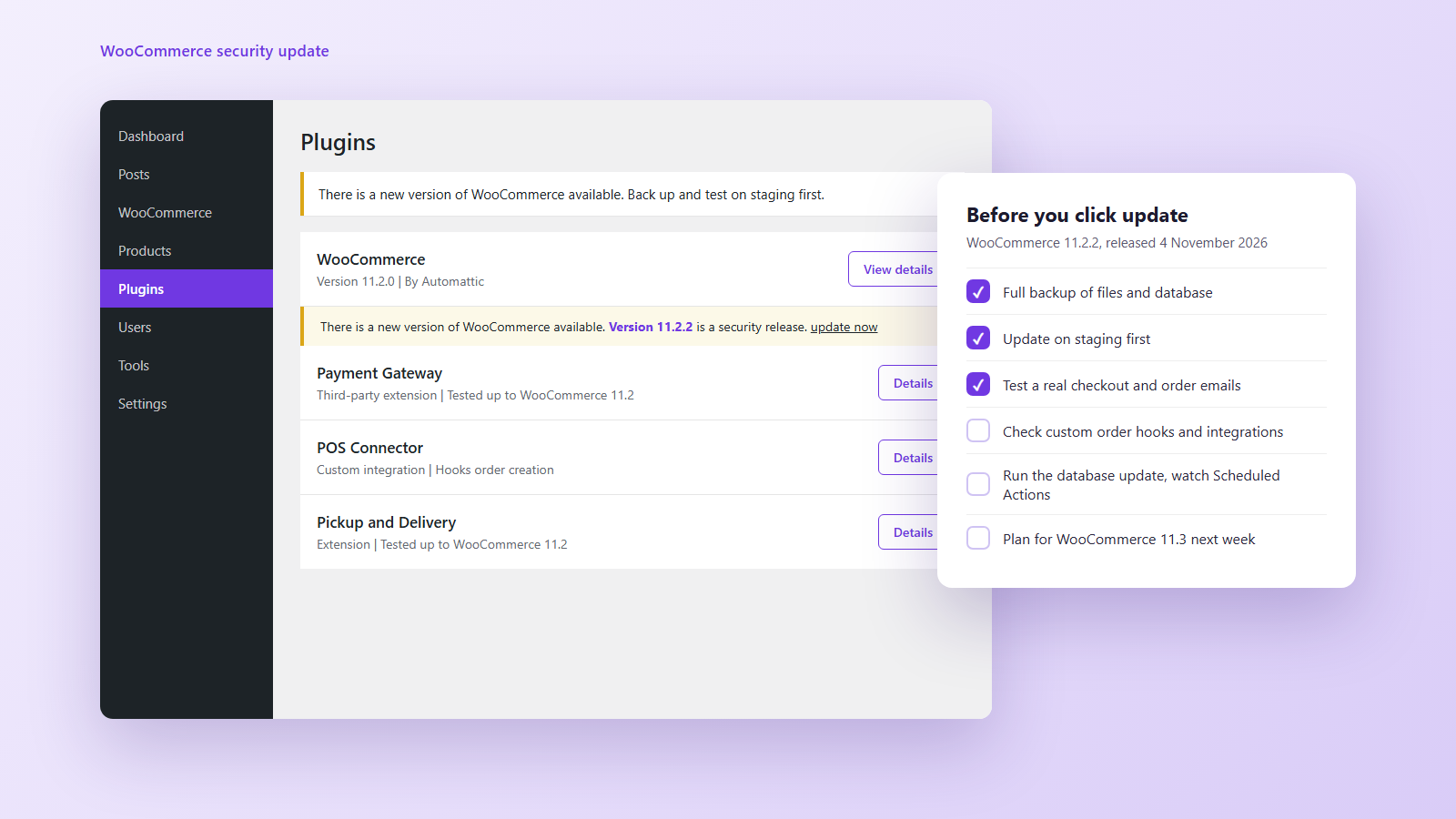
- Take a full backup. Back up the database and the wp-content folder, or confirm your host’s automatic backup is recent and can be restored.
- Update on staging first. Copy the live site to staging and update WooCommerce there. WooCommerce’s guide says plainly: “Do not test updates directly on your production site.”
- Check extension compatibility. Look at the “Tested up to WooCommerce” value for each extension, gateway and theme. If it is older than 11.2, check for an update or ask the developer.
- Run the database update. After the files update, WooCommerce shows a database update notice. Click it, then use View progress to watch the jobs in Scheduled Actions until they finish.
- Test the money paths. Place real test orders through checkout with each payment method, shipping method and pickup option you offer. Check order emails, stock levels and any system the order is sent to.
- Check the logs. Look in WooCommerce, Status, Logs for fatal errors from extensions, especially around order creation.
- Update live at a quiet time. WooCommerce suggests Coming soon mode during the update so customers do not check out while files and the database are changing. Do not stack other major updates in the same window.
- Test live again. Place one real order on the live site, then refund it.
If something breaks, keep checkout closed, restore the backup and work out the cause on staging before trying again.
Update planner for your store
Enter your WooCommerce version (shown under Plugins, or in WooCommerce, Status) and tick what applies. The planner lists the WooCommerce security update checks that matter for your store.
WooCommerce 11.3 is due the week of 9 November
The next feature release is close behind. The 11.3 pre-release post schedules it for the week of 9 November 2026. Apply the 11.2.2 WooCommerce security update now rather than waiting, and treat 11.3 as a separate, tested update. The changes most likely to affect live stores are:
- MCP endpoint removed: the deprecated
/wp-json/woocommerce/mcpendpoint and its REST API key connection are removed. AI tools should connect through the WordPress MCP Adapter plugin with an application password. - Order analytics database change: a nullable
payment_methodcolumn and an index are added towc_order_stats, with a background job backfilling existing orders 500 at a time. WooCommerce notes the index build can take significant time and disk I/O on large stores. - Refunds API validation: refund requests with invalid line-item amounts now return a 400 or 422 error instead of creating a refund. Check any system that issues refunds through the API.
- On-Sale Badge block: it can now show the amount or percentage saved.
- Legacy Reports menu: hidden on stores first installed with 11.3 or later. Existing stores keep it.
FAQ
Is WooCommerce 11.2.2 a security release?
Yes. WooCommerce 11.2.2 was released on 4 November 2026 as a WooCommerce security update with multiple security fixes and a database update, and recommends updating as soon as possible. No CVE numbers have been published for it.
Will the WooCommerce security update break my store?
Most stores will see no difference. Stores with custom code on order creation hooks, old API integrations, or tools that use the Jetpack onboarding endpoints with API keys should test on staging first, because those cases now fail with an error instead of continuing.
Do I need to run the WooCommerce database update?
Yes. 11.2.2 includes a database update that cleans up product default attribute data. Back up first, click the update notice, and watch Scheduled Actions until the jobs finish.
Should I wait for WooCommerce 11.3 instead?
No. Apply 11.2.2 now. 11.3 is a feature release with its own database change and API changes, so it deserves a separate test on staging when it ships.
My store is on an older version. Will I get a patch?
Probably not. The release notes do not mention older branches, and WooCommerce only backports fixes rated CVSS 9 or higher to the last 21 major versions. Plan an upgrade to 11.2.2 and check that WordPress and PHP meet its minimums.
How we can help
EUX is one of three WooCommerce Pro Partners in Australia. We look after hosting, updates and custom integrations for WooCommerce stores, and we test updates like this one on staging before they reach a live checkout.
- If you would like us to apply the WooCommerce security update and test your checkout and integrations, please contact us.
- If your store has custom code or a POS or ERP connection you are unsure about, see our WooCommerce development services.
- For a wider review of plugins, security and performance, see our ecommerce audit.
Sources
- WooCommerce 11.2.2: Release notes (WooCommerce Developer Blog)
- WooCommerce 11.2 readme and changelog (GitHub)
- How to update WooCommerce (WooCommerce documentation)
- WooCommerce security support policy (WooCommerce Developer Docs)
- WooCommerce 11.3: What's coming for developers (WooCommerce Developer Blog)