

 WooCommerce Pro Partner
 WordPress Pro Partner

















 WooCommerce Pro Partner
 Connected to Business Central
WooCommerce and Microsoft Business Central integration
For Jaggards, we connected WooCommerce to Microsoft Dynamics 365 Business Central using Power Automate flows. Customers, orders, stock, products, shipments and identity checks stayed in step from launch day.















The problem
Business Central runs Jaggards’ customers, orders, stock and shipments.
The new WooCommerce store had to fit into that from the day it launched.
-
Customers and orders into Business Central
Every online customer and order needed to reach Business Central with the right details, without being typed in again.
-
Stock and products from Business Central
Products and stock levels are managed in Business Central, so WooCommerce needed to follow the ERP.
-
Shipments back to the customer
When a shipment was created in Business Central, the customer’s order in WooCommerce needed to show it.
What we built for Jaggards
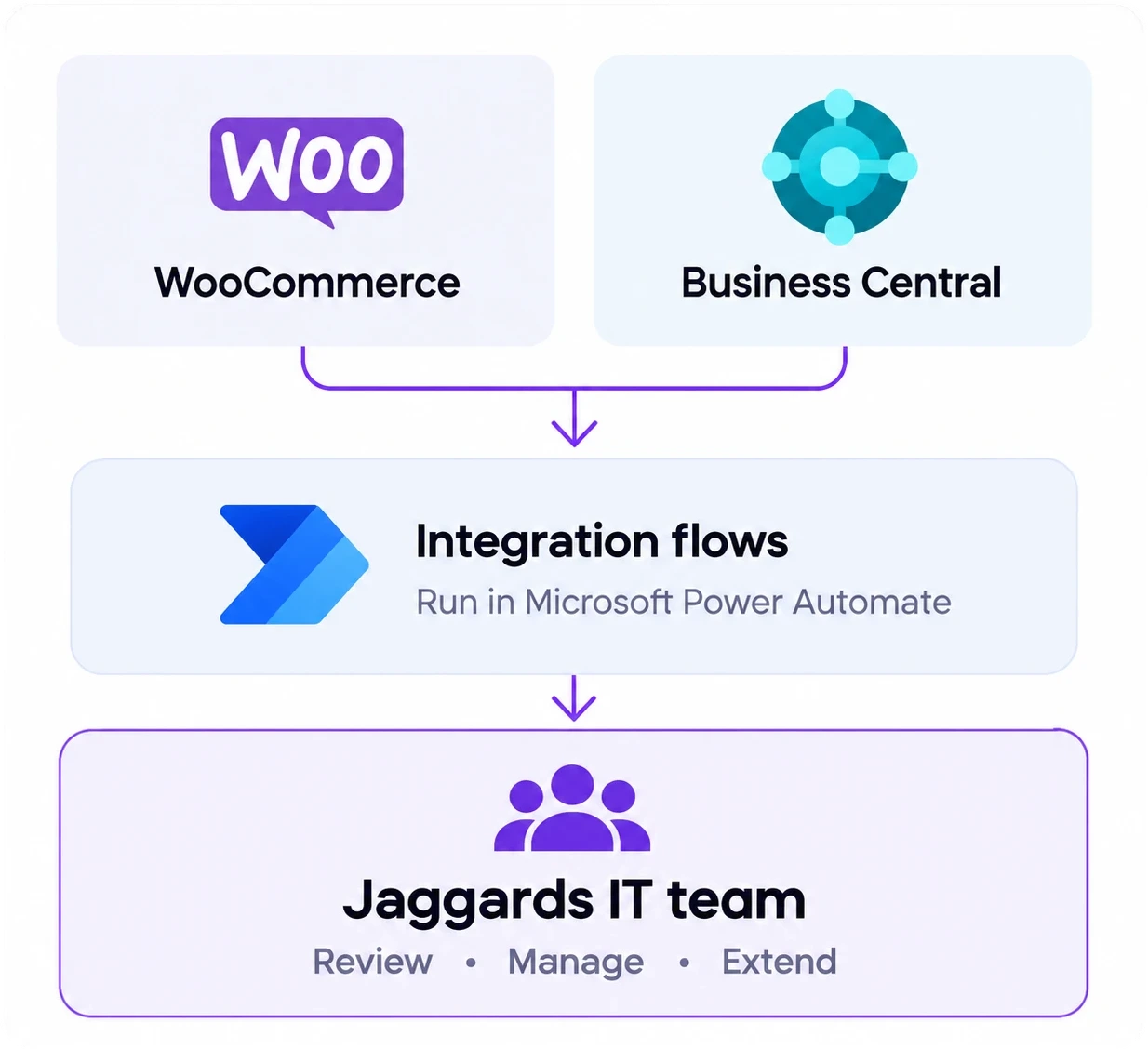
We built eight Power Automate flows between WooCommerce and Microsoft Business Central for the store’s launch, covering customers, orders, products, stock, shipments and identity verification.
Customers
Customers in both places
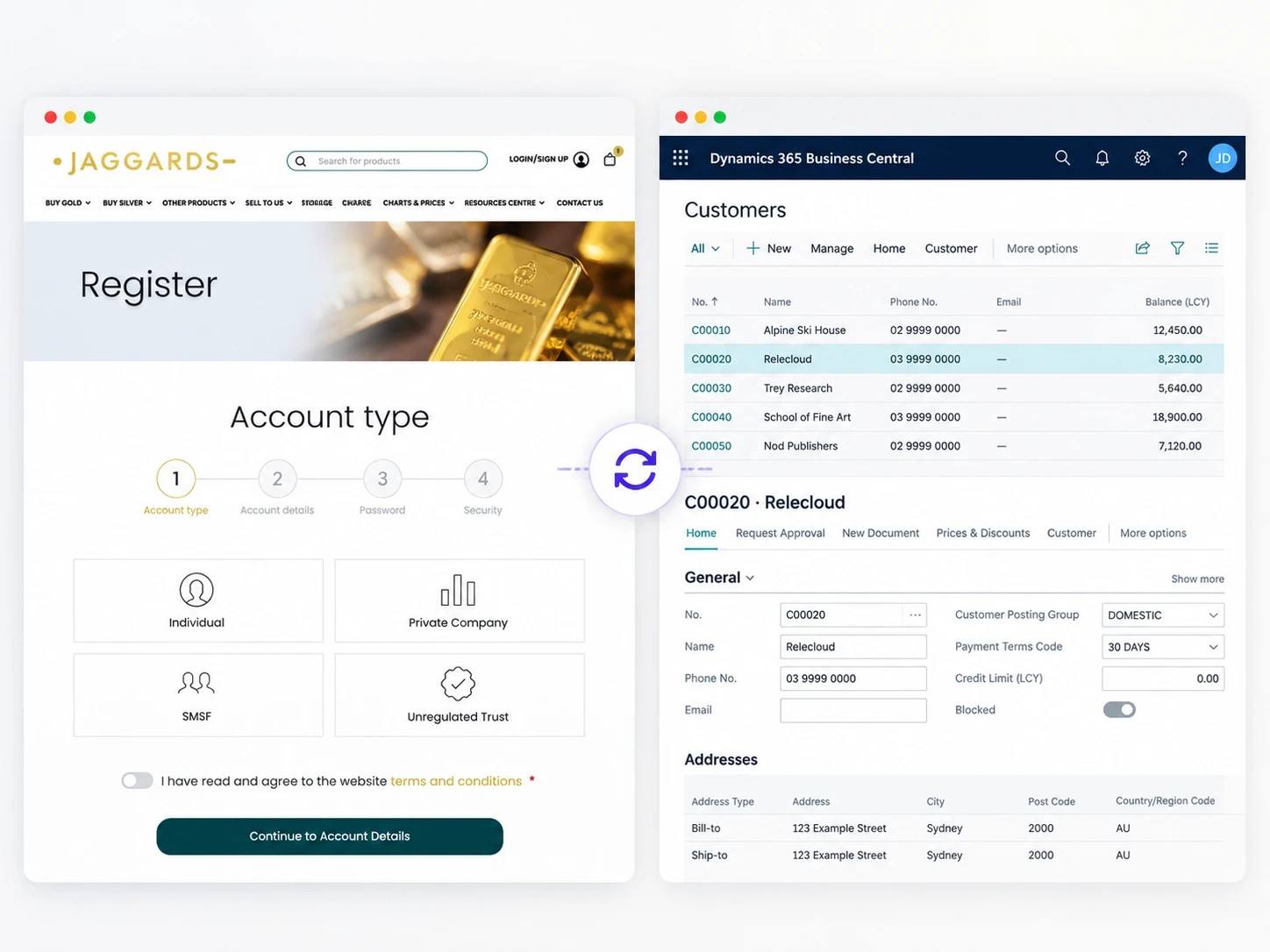
Customers created online are created in Business Central, and changes in Business Central come back to WooCommerce.
A new online customer is created in Business Central with their contact details and the business dimensions Jaggards reports on.
When a customer edits their address on the website, Business Central is updated too.
Updates made to a customer in Business Central flow back to their WooCommerce account, matched by a web ID stored in Business Central.
We synced around 10,000 existing customers to Business Central in bulk using the same flows.
 WooCommerce store connected to Business Central from launch day.
Jaggards, bullion dealer.
Read the case study
Sales orders
Online orders as sales orders
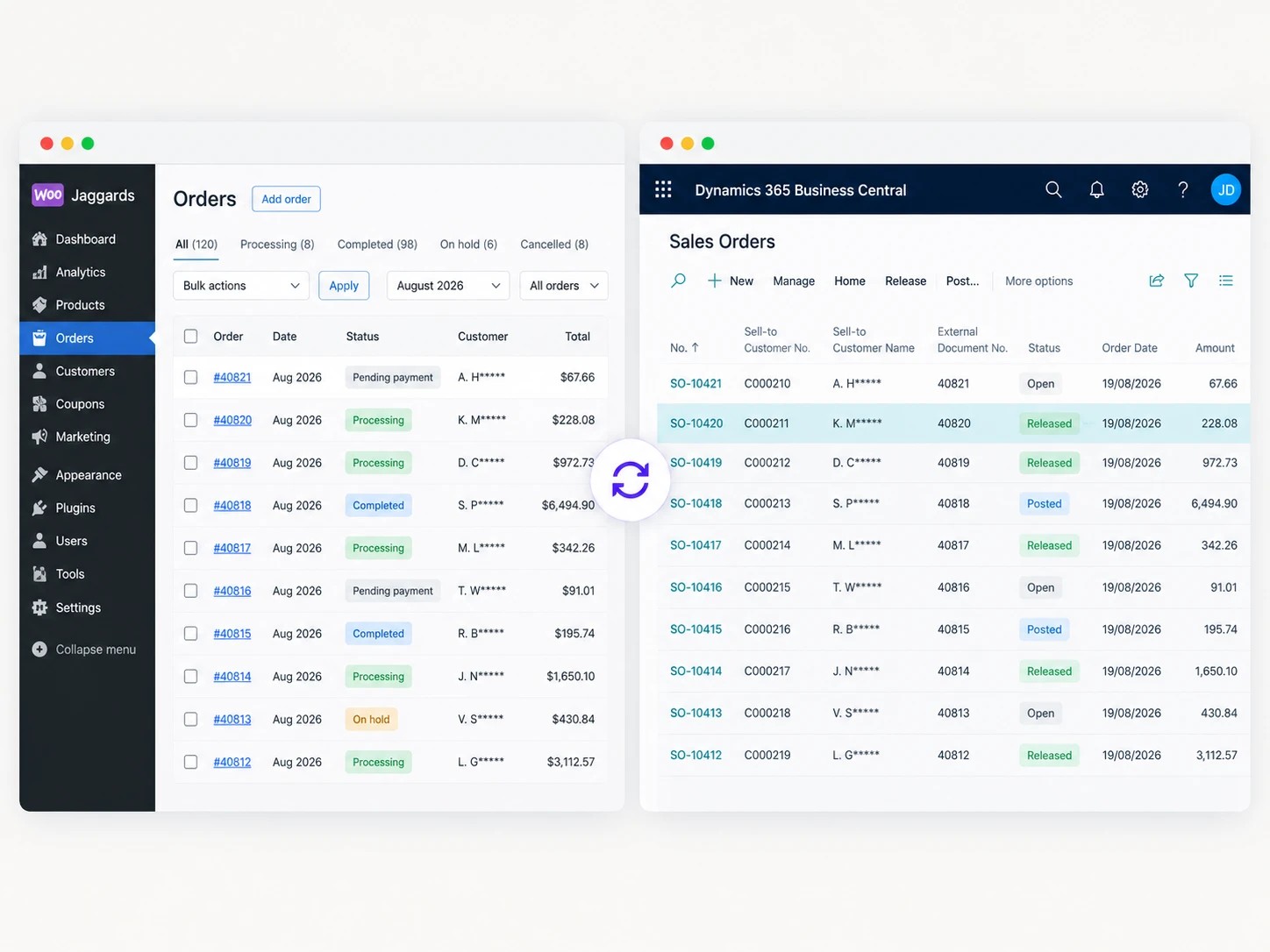
Every website order becomes a sales order in Business Central, linked to the right customer.
Each order checks the customer exists in Business Central, creates or updates them, then creates the sales order against them.
Card payments are mapped to the right payment method in Business Central, so the accounts team can see how each order was paid.
When an order’s status changes, it is sent again so both systems agree, and every sync is logged.

Products and stock
Products and stock from Business Central
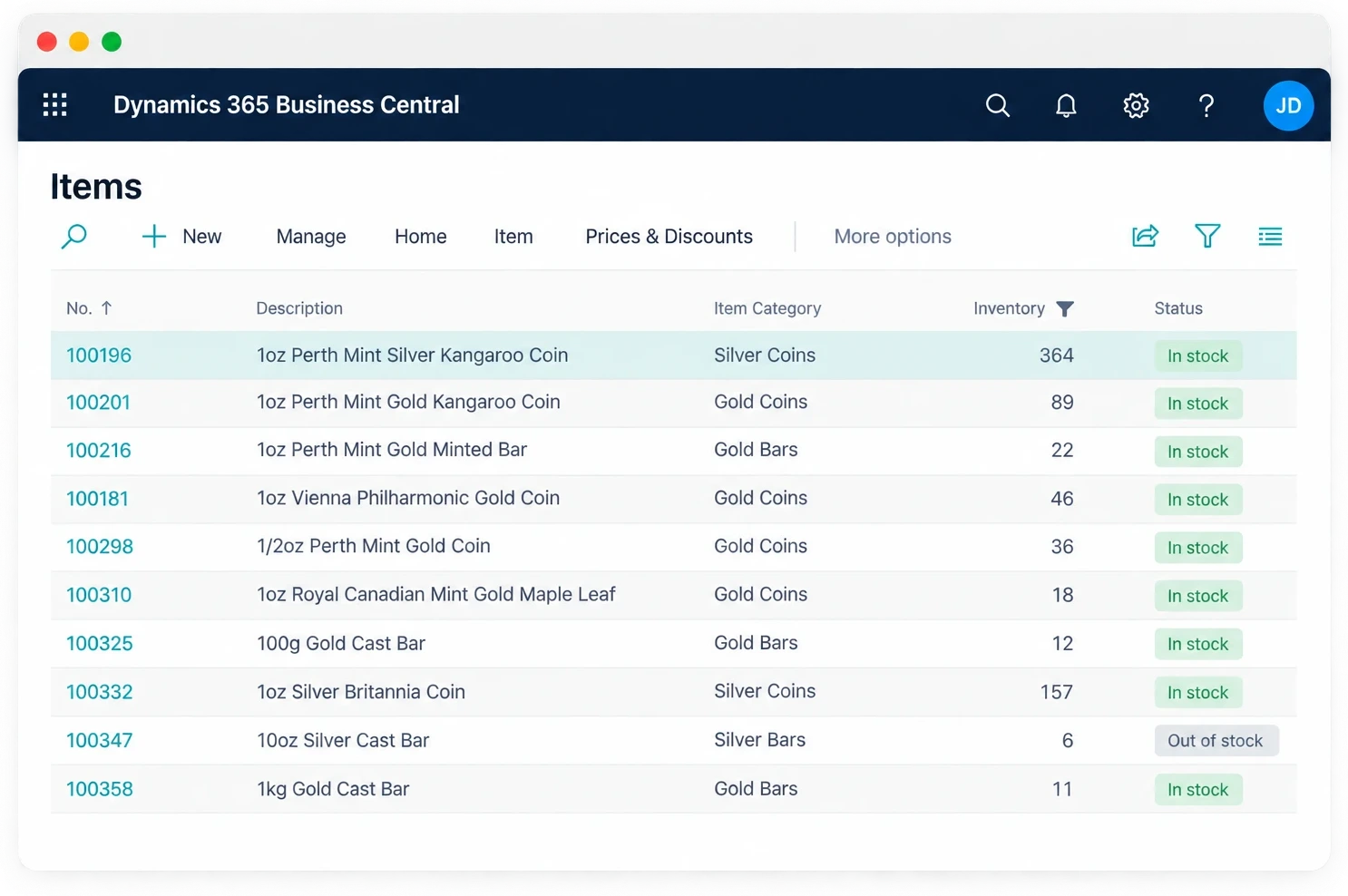
Business Central stays the system of record for what Jaggards sells.
Products are synced from Business Central to WooCommerce.
Stock levels in Business Central update the website, so customers only see what is available.
Gold and silver prices come from a live price feed on the website, while Business Central looks after items and stock.

Shipments
Shipments back to the order
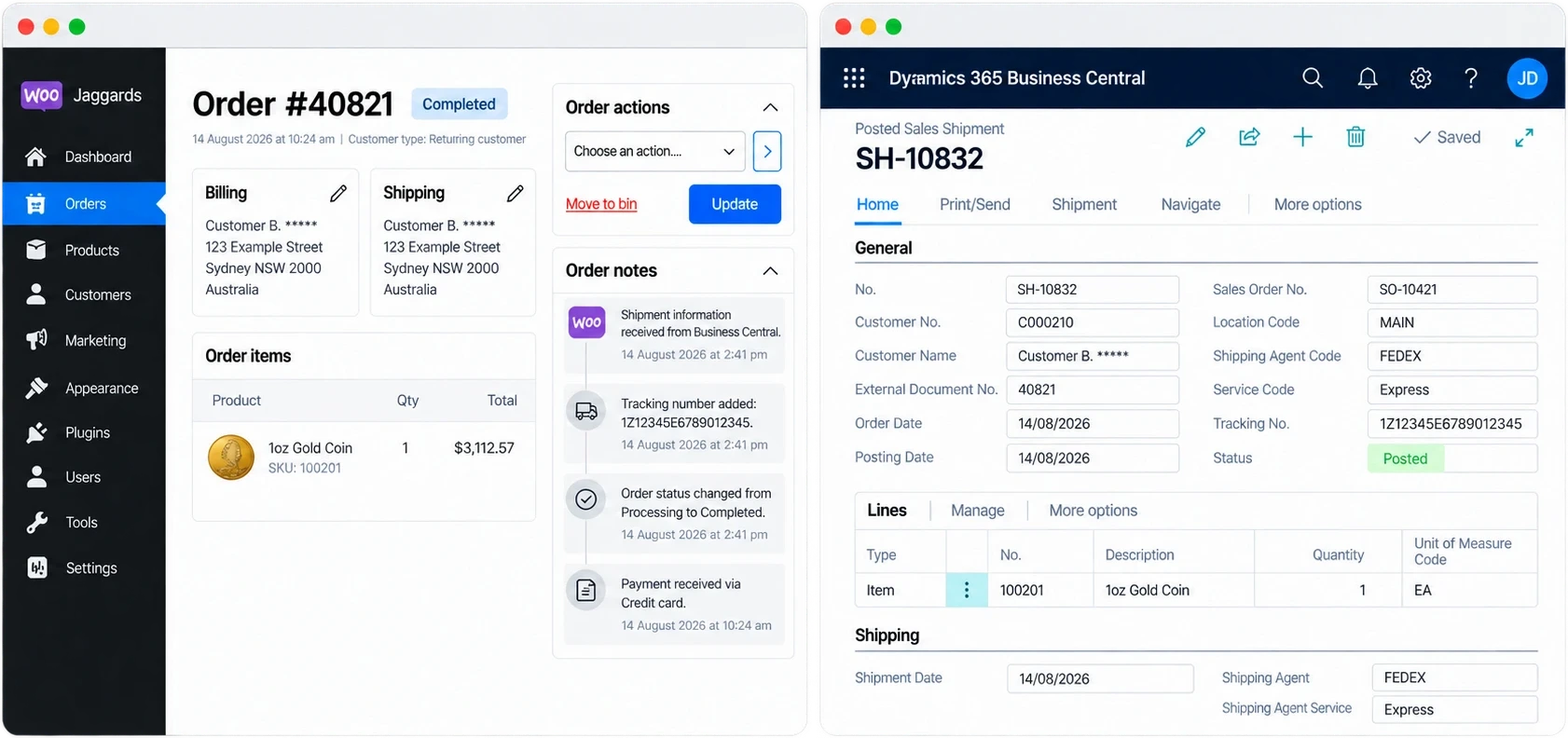
Two flows keep shipping information in step.
When the team creates a shipment in Business Central, the WooCommerce order is updated.
When an order on the website has shipment details, they are sent back to Business Central.

Handover
Flows the client’s own team can run
Power Automate flows can be opened, reviewed and changed by the client’s own team.
Jaggards’ own IT team took over the flows from October 2025.
Their team has since added flows of its own on top of the ones we built.
Each customer’s BronID verification is also saved on their Business Central record.
Day to day
How an order moves
From a new customer to a shipped order.
Every sync is logged
-
01
A new customer signs up
They are created in Business Central with their contact details and reporting dimensions.
-
02
They place an order
The order becomes a sales order in Business Central against that customer, with the payment method mapped.
-
03
Stock follows Business Central
Stock and items are updated on the website from Business Central.
-
04
The team ships it
A shipment created in Business Central updates the customer’s order online.
-
05
Changes stay in step
Status changes re-sync the order, and customer changes in Business Central flow back to WooCommerce.
Planning a WooCommerce and Business Central integration?
If you run Microsoft Business Central, we can connect your store with Power Automate flows your own team can see and change, or with a custom connector where that is the better fit. We start by agreeing which system owns each kind of data, then build and test the integration before launch.
Questions about Business Central and WooCommerce
Power Automate is part of the Microsoft ecosystem many Business Central users already work with.
For Jaggards, it meant the flows could be opened, reviewed and later managed by their own IT team, rather than being hidden inside a black-box connector.
Yes. For Jaggards, customers and orders go from WooCommerce to Business Central, while stock, items, shipments and customer changes come back to WooCommerce.
The exact flows depend on your Business Central setup and what your store needs to do.
Jaggards’ own IT team took over the flows from October 2025 and has added more since.
Usually, yes.
Tell us what you run in Business Central, what your WooCommerce store needs to do, and which system should own products, stock, customers, orders and shipments. We’ll tell you what is possible and give you a fixed quote.
No. Power Automate can be a good fit when the client’s team wants visibility and control inside the Microsoft ecosystem.
For higher volumes, more complex rules or more technical requirements, a custom connector can be a better fit. We’ll recommend the right approach once we’ve seen your setup.
It depends on what needs to move between WooCommerce and Business Central, how many flows are required, and how complex the rules are.
A simple order flow is very different from a full integration covering customers, orders, stock, products, shipments, payment mapping, identity checks and error handling. After an initial conversation, we give you a fixed quote so you know the scope, timeline and price before work starts.
Yes. For Jaggards, the Business Central integration was part of the move to WooCommerce.
If you are migrating from another platform, we can plan the store build, data migration and Business Central integration together so the new store launches with the right systems connected.

Talk to us about Business Central
Tell us how you use Business Central today and what your store needs to do. A real person from our Sydney team will get back to you to talk it through.
Rather talk now? Call us(02) 9121 6234We'll only use your details to reply to you.